Your ERP stays in charge. Narada reads a copy, every night.
Nothing to install and no connector. Your ERP sends files, and Narada never writes anything back.
-
Once
You send your history
Sales, stock and purchase orders, two years back, as one zip. We load it.
-
Each evening
Your ERP emails the day
A scheduled export, set up once, to a private Narada address. Nobody sends it by hand.
-
Overnight
Narada checks every SKU
At every branch, priced in dollars. On Planner it also sizes the orders.
-
By morning
You approve, your ERP imports
Orders wait for your click, then download in your ERP's own import layout.
- Nothing installed
- Never writes into your ERP
- Never sends an order
- NDA on request
- Files deleted when you ask
The files get to us without anyone doing it each day.
Your IT decides where the files live. Nothing sits in an inbox, and you never upload anything into Narada.
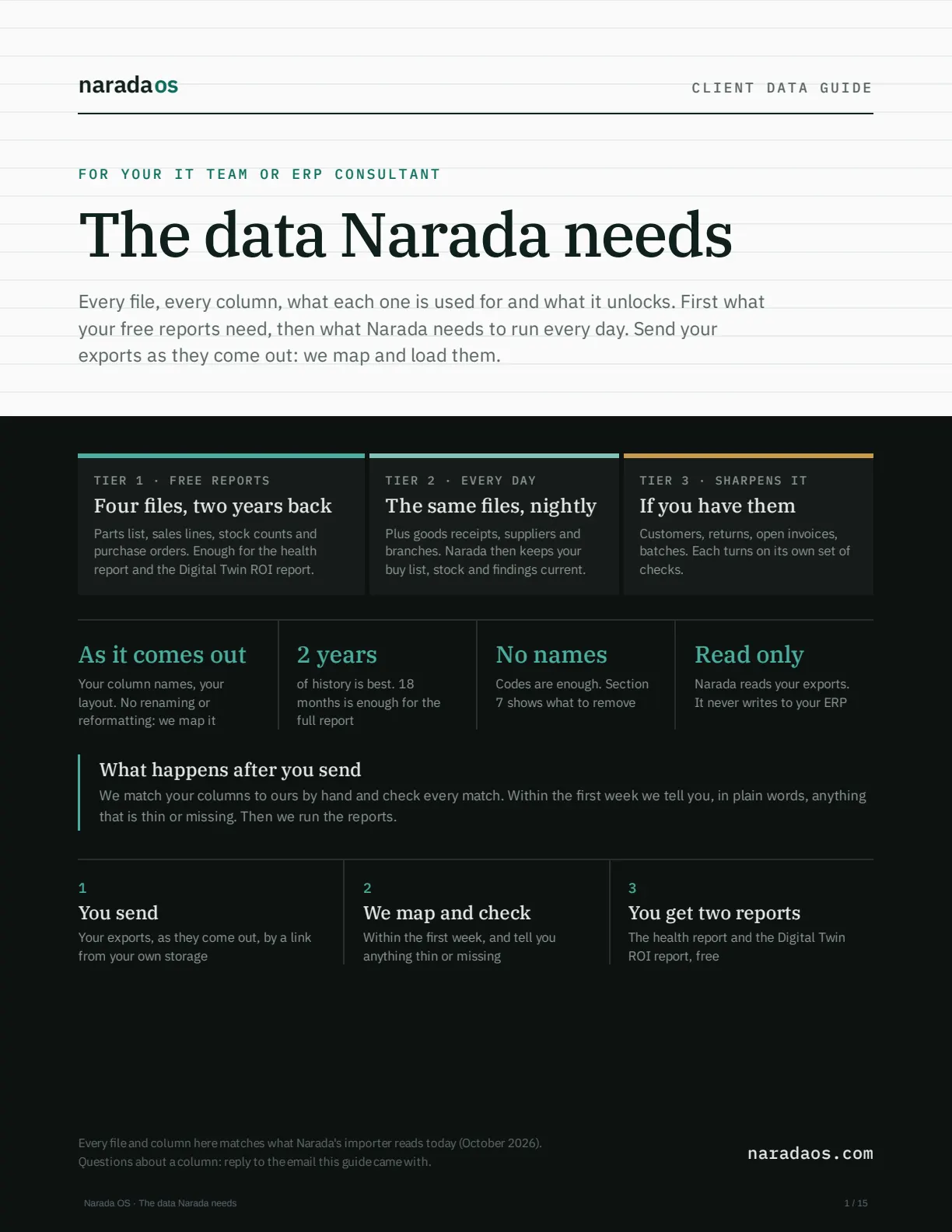 The data Narada needsEvery file and column, for your IT team or ERP consultant.Download PDF · 15 pages ↓
- The first time
- Zip two years of sales, stock and purchase orders, in whatever format your ERP makes. Share it by a link from OneDrive, SharePoint, Google Drive or Dropbox, or email it if it is small. We map your columns and load it. The files we need
- Every day after
- Your ERP emails a scheduled export to a private Narada address, automatically. If your ERP saves to a shared folder instead, we collect it from there. Setup for your ERP
- Going back
- When you approve an order, press Download for my ERP. It comes as a file in your ERP's own import layout, set once, and you import it like anything else. Purchase orders
- Your ERP
- If it can export a report to a file, it works. Prophet 21 Epicor Eclipse Epicor Kinetic Sage 100 NetSuite Business Central Acumatica SAP Business One Not listed? Check yours
Your buyer checks the disagreements, not the whole book.
Every night Narada checks every SKU at every branch and puts a dollar figure on what it finds.
- Nothing moves without your click. Narada drafts. It never places an order or sends anything.
- Every number shows its working. Ask why, and it walks through that row's own figures. How Narada decides
- Lead times as delivered, not as promised. A supplier who quotes ten days and takes fourteen is planned at fourteen. Planner
- Orders you can actually place. Supplier minimums, order multiples and free-freight top-ups, and stock moved between branches before it buys. Planner Supplier rules
| Branch | On hand | Reorder point | Recommended |
|---|---|---|---|
| West Held, supplier minimum | 9 | 47 | 0 |
| Central Covered, 304 days | 446 | 66 | 0 |
| North Covered, 1061 days | 0 | 49 | 0 |
Move 49 units from CEN instead of buying the supplier's 500-unit minimum ($29,820).
Show all 16 stepsHide the steps
Move 49 units from CEN instead of buying the supplier's 500-unit minimum ($29,820). CEN has 376 units above its own reorder point, after what its customers already ordered. If you can't move them, tick this line to buy the minimum. Without the move: Down to 9 units, below the 47-unit reorder point, so it's time to reorder. Best stocking level: 58 units. Running out costs $12.65 per unit in lost margin; holding a unit you don't sell costs $1.67 over the 41-day window, so the math says cover 90% of demand scenarios. You need 49 more units to get there, but the supplier's minimum is 500, so this order overshoots by 451 units. The minimum adds 451 units past your ceiling. Holding them costs about $5,358; not buying costs $5,706 of margin lost over the same stretch. Buy the minimum.
What your IT team will ask.
Short answers here. Every file and column is in the data guide.
- Can we send it without names?
- Yes, and for the free report we suggest it. Remove names, emails, phone numbers and addresses, and swap customer codes for C-0001, C-0002 the same way in every file. The lookup table stays with you: Narada never needs it. Keep prices, costs and dates real, so the report is in your own dollars. The files you send are deleted 30 days after they arrive. How, step by step (PDF, section 7)
- Who sets up the daily email?
- Your IT person or ERP consultant, once, with the data guide. If your ERP can't schedule an email, we automate it another way. Setup for your ERP
- What if a day's file doesn't arrive?
- We notice and get in touch. A file much smaller than usual is held for us to check, so a half-finished export never replaces good data.
- What if a row is wrong?
- It is set aside with the reason, and the rest still loads. You get the list to fix. What happens to a bad row
- How much history?
- Two years is best. 18 months is the least for the full report. If the zip is over about 20 MB, share a link instead of emailing it. Why two years
See it on your own numbers.
Two ways in. Pick whichever suits how you like to buy.
Your Digital Twin ROI report
Share your sales, stock and purchase orders, ideally two years (18 months is enough), as a OneDrive or Google Drive link, or email them. Any format. Seven days later you get the report and a 30-minute walkthrough. It says, in dollars, whether Narada is worth it for you.
Get your free ROI reportNo credit card. Read-only, NDA on request, and your files are deleted when you ask. Sometimes the answer is to keep what you have, and we tell you.
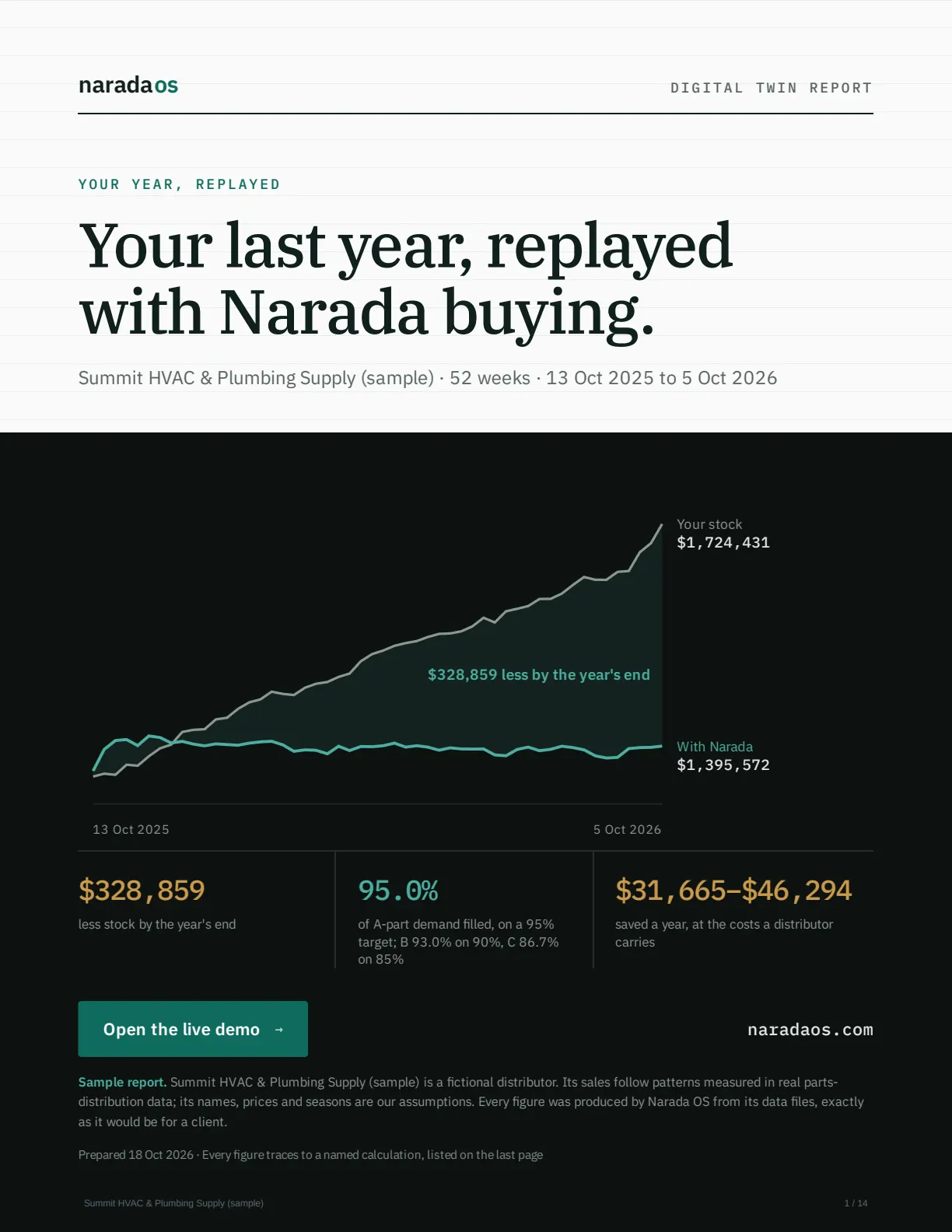
Rather talk first?
Tell us how you buy today and what files you have. We do the rest.
Book a 15-minute callEvery report is checked by hand before you see it. About Narada